Commercial reports
With commercial features on, Financial Reporting > Reports gains a Commercial section below the standard reports. Your profit & loss, balance sheet, cash flow, and general ledger already include commercial income and expenses, since commercial leases post to the same ledger. These reports cover what’s specific to commercial leasing.
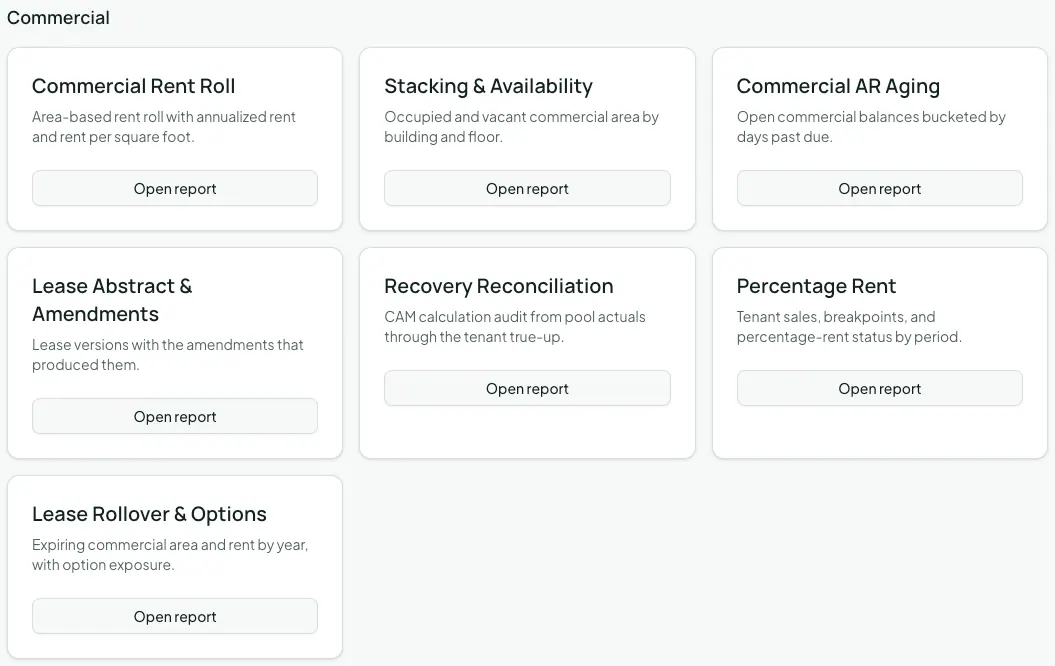
1. Choose a report
Section titled “1. Choose a report”| Report | What it shows | Use it for |
|---|---|---|
| Commercial Rent Roll | Each leased space with its building, tenant, rentable square footage, monthly and annual base rent, rent per square foot per year, and lease end | Lender and buyer packages, and checking your rents against the market |
| Stacking & Availability | Every space by building and floor, with its type, area, tenant, and vacant square footage | Leasing: what’s available, and where |
| Commercial AR Aging | Open commercial charges with due date, days past due, amount, credits, balance, and aging bucket | Collections |
| Lease Abstract & Amendments | Each lease’s versions, with the amendment that produced each one | Auditing how a lease got to its current terms |
| Recovery Reconciliation | Each tenant’s recovery calculation: recoverable pool, tenant share, base year, cap reduction, billable, estimates billed and collected, and the amount due or credited | Reviewing CAM before you approve, and answering tenant audits |
| Percentage Rent | Each retail tenant’s net sales, breakpoint, sales above the breakpoint, percentage rent, amount due, and status, by period | Making sure every lease year has been trued up |
| Lease Rollover & Options | Leases grouped by the year they expire, with rentable area, annual rent, renewal options, and the next option notice deadline | Rollover exposure, and planning renewals |
2. Run and export a report
Section titled “2. Run and export a report”Click Open report, set the Parameters (the date the report runs as of, and optionally an Owner, Property, or Unit), and click Run report. Without a filter, a report covers your whole commercial portfolio. The commercial reports only include commercial leases, so a mixed-use property’s apartments don’t appear in them.
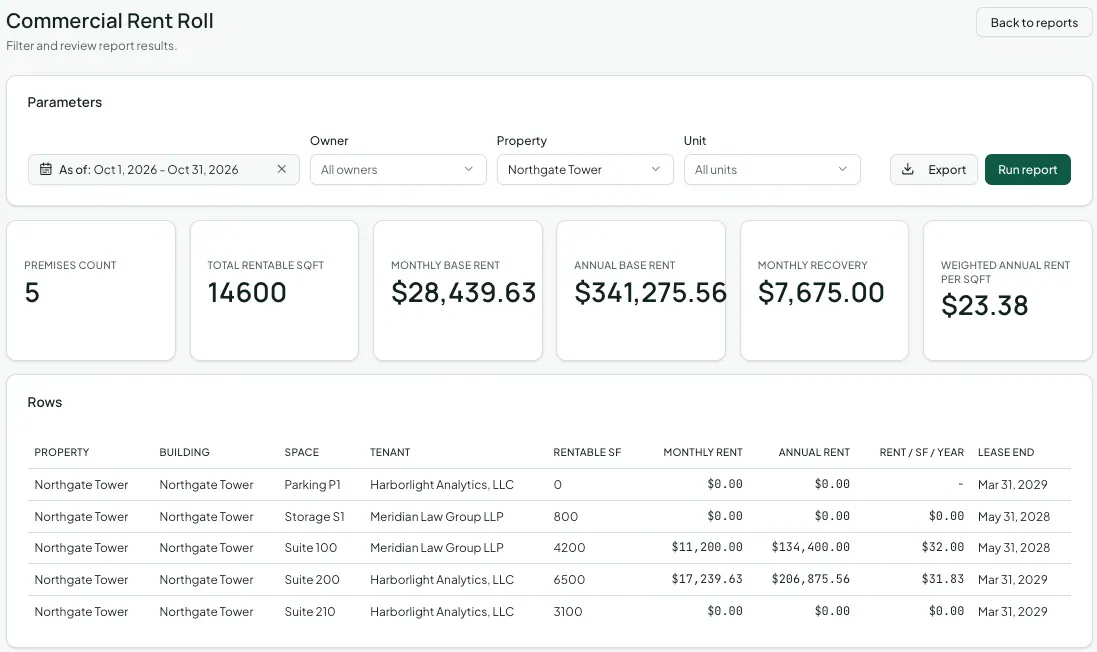
Export any report as CSV, Excel, or PDF from the report page, the same as the standard reports. See Running and exporting financial reports.
Afterwards
Section titled “Afterwards”- Reconciling CAM recoveries — the workflow behind the Recovery Reconciliation report.
- Amendments, options, and critical dates — where the abstract and option data comes from.