Getting started with commercial properties
Vespy manages office, retail, industrial, and mixed-use property in the same organization as your residential portfolio, on the same ledger, bank accounts, and reports. Commercial features add what a residential lease can’t express:
- Spaces measured in square feet, grouped into buildings and floors.
- Company tenants with a legal name, DBA, billing address, and several contacts.
- Commercial leases that cover more than one space and bill from dated rent steps instead of one monthly amount.
- Lease administration: amendments, versions, options, obligations, critical dates, guarantors, and deposits.
- Rent escalations (fixed or CPI-linked) and percentage rent on tenant sales.
- CAM, tax, and insurance recoveries with a year-end reconciliation and tenant statement.
- Consolidated invoices, credit memos, and write-offs.
- Seven commercial reports, from an area-based rent roll to lease rollover.
1. Turn on commercial features
Section titled “1. Turn on commercial features”When you sign up, Vespy asks what kind of portfolio you manage. Choose Commercial or Mixed and commercial features are switched on for your organization straight away. Commercial-only portfolios also get commercial defaults throughout: new properties start as commercial, new tenants start as companies, and lease PDF imports start as commercial leases.
If your organization was created as Residential, contact Vespy support to have commercial features turned on. Nothing about your existing properties, leases, or billing changes when they are; the commercial options simply start appearing alongside the residential ones.
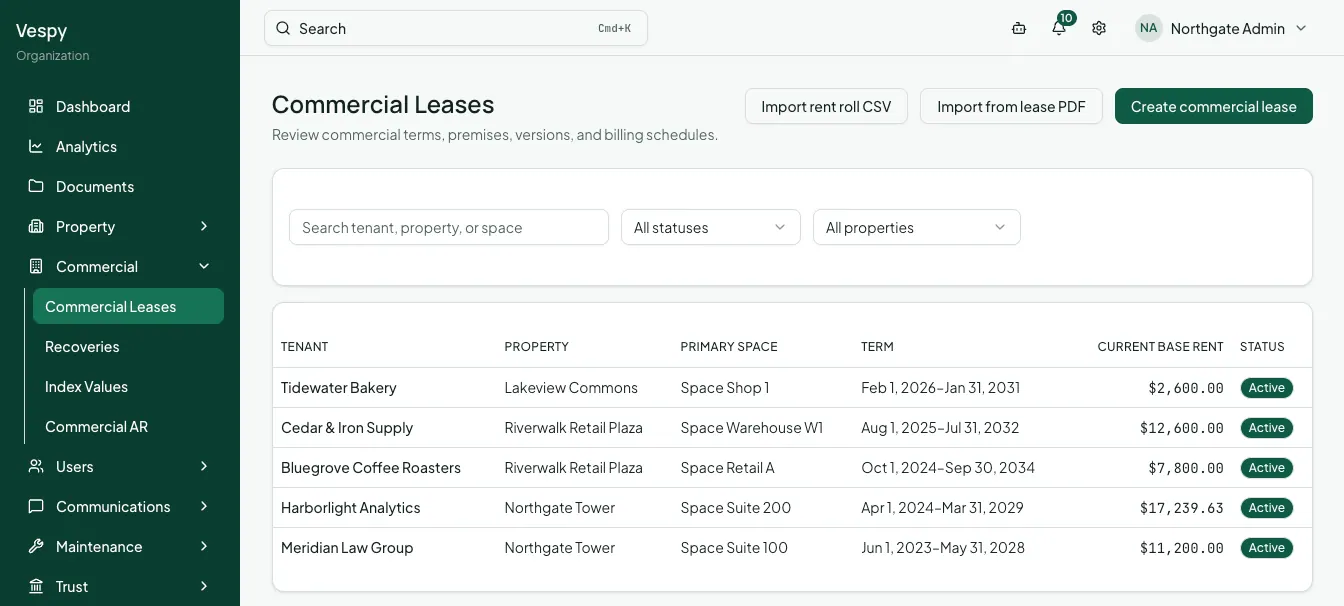
Once commercial is on, the sidebar gains a Commercial group:
| Page | What it’s for |
|---|---|
| Commercial Leases | Every commercial lease, plus rent-roll CSV and lease PDF import |
| Recoveries | CAM, tax, insurance, and utility expense pools and their year-end reconciliation |
| Index Values | CPI or other index readings that index-linked escalations use |
| Commercial AR | Invoices, credit memos, and write-offs across your commercial tenants |
2. Follow the setup checklist
Section titled “2. Follow the setup checklist”A new organization’s Dashboard opens with a setup checklist that tracks real progress and links each step to the page that does it. With commercial on, the steps are:
- Add your first property, as commercial or mixed-use.
- Add suites with rentable square footage. The checklist counts any office, retail, or industrial space still missing its square footage, because recovery shares are calculated from it.
- Add tenants, usually as companies.
- Create a commercial lease.
- Set up a recovery pool, if your leases recover operating costs.
- Connect Stripe and add a bank account, to collect and reconcile payments.
The checklist hides itself once every step is done, and you can dismiss it sooner.
Afterwards
Section titled “Afterwards”- Setting up a commercial property — buildings, floors, and suites.
- Adding a company tenant — legal entity, billing address, and contacts.
- Creating a commercial lease — premises and billing schedules.