Handling a security deposit
A security deposit is the tenant’s money, not yours — it’s never revenue. Vespy tracks it separately from your regular rent ledger, so what you hold per tenant can always be checked against the bank statement.
1. Set up a trust bank account
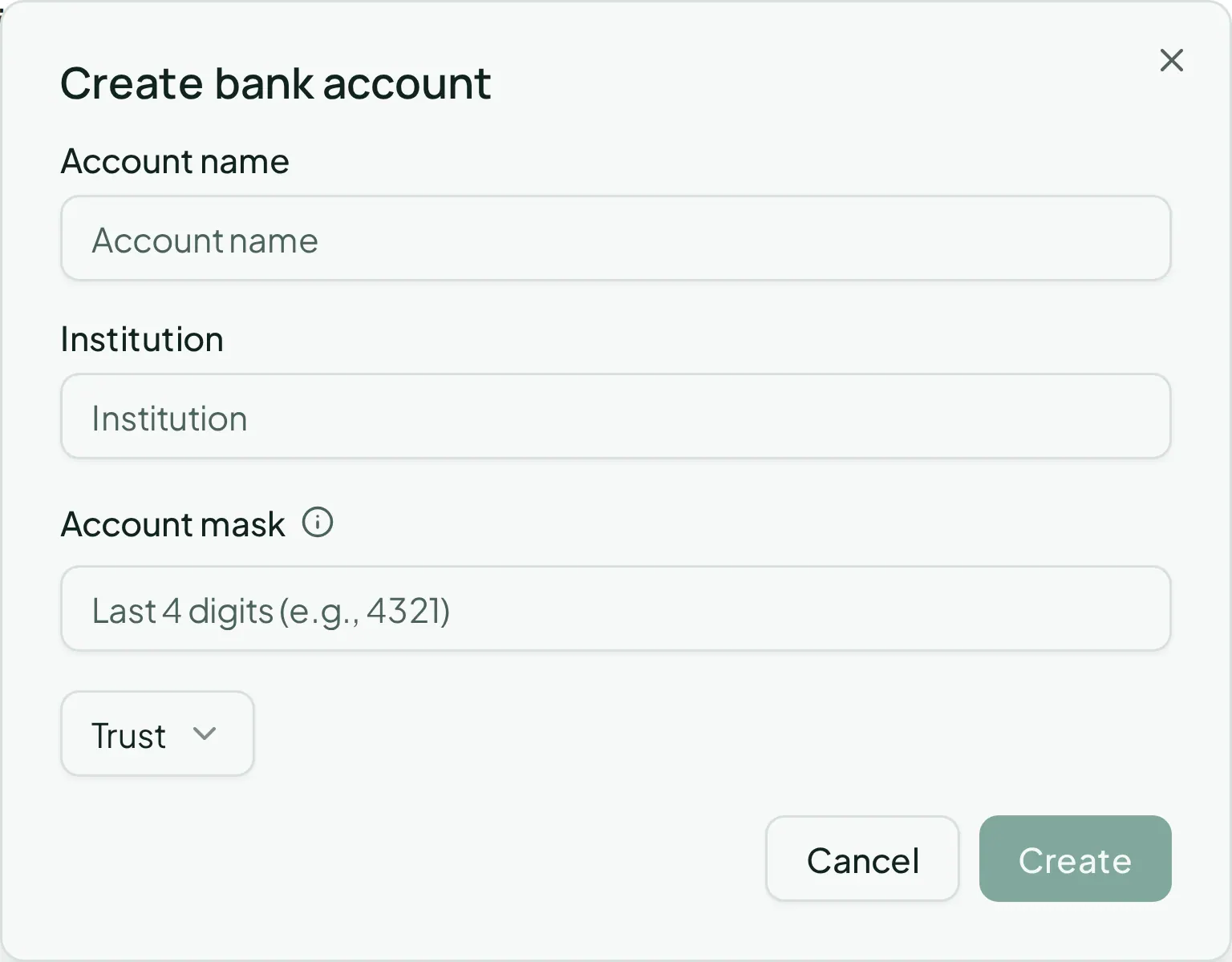
Section titled “1. Set up a trust bank account”Do this once, for the account you use to hold deposits — it shouldn’t be the same account your operating funds sit in. Go to Trust > Bank Accounts and click Create account:
- Account name
- Institution
- Account mask — just the last few digits; Vespy never stores full account numbers
- Type — pick Security Deposit (or Trust)
2. Record the deposit at move-in
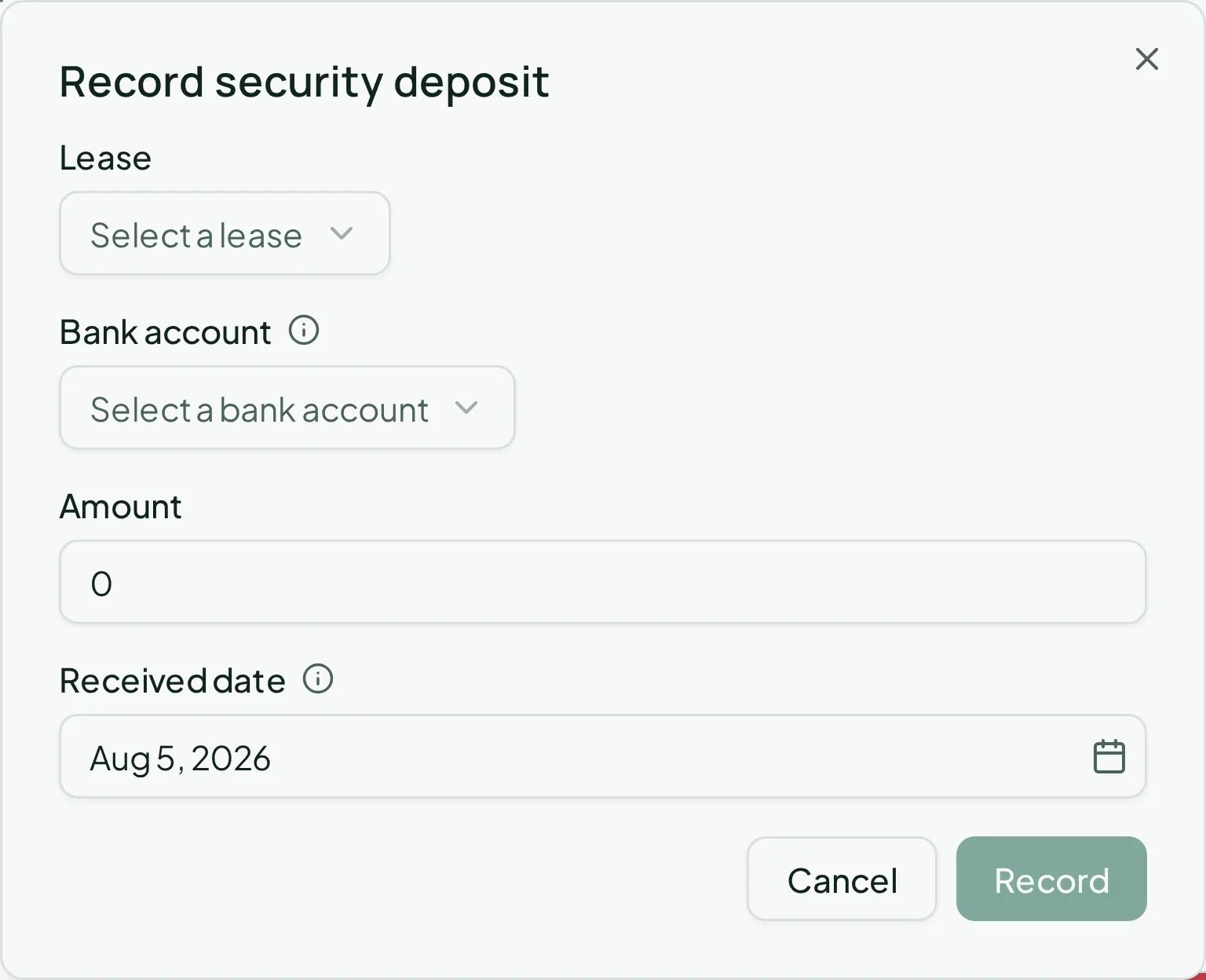
Section titled “2. Record the deposit at move-in”Go to Trust > Deposits and click Record deposit:
- Lease
- Bank account — filtered to your trust/security-deposit accounts
- Amount
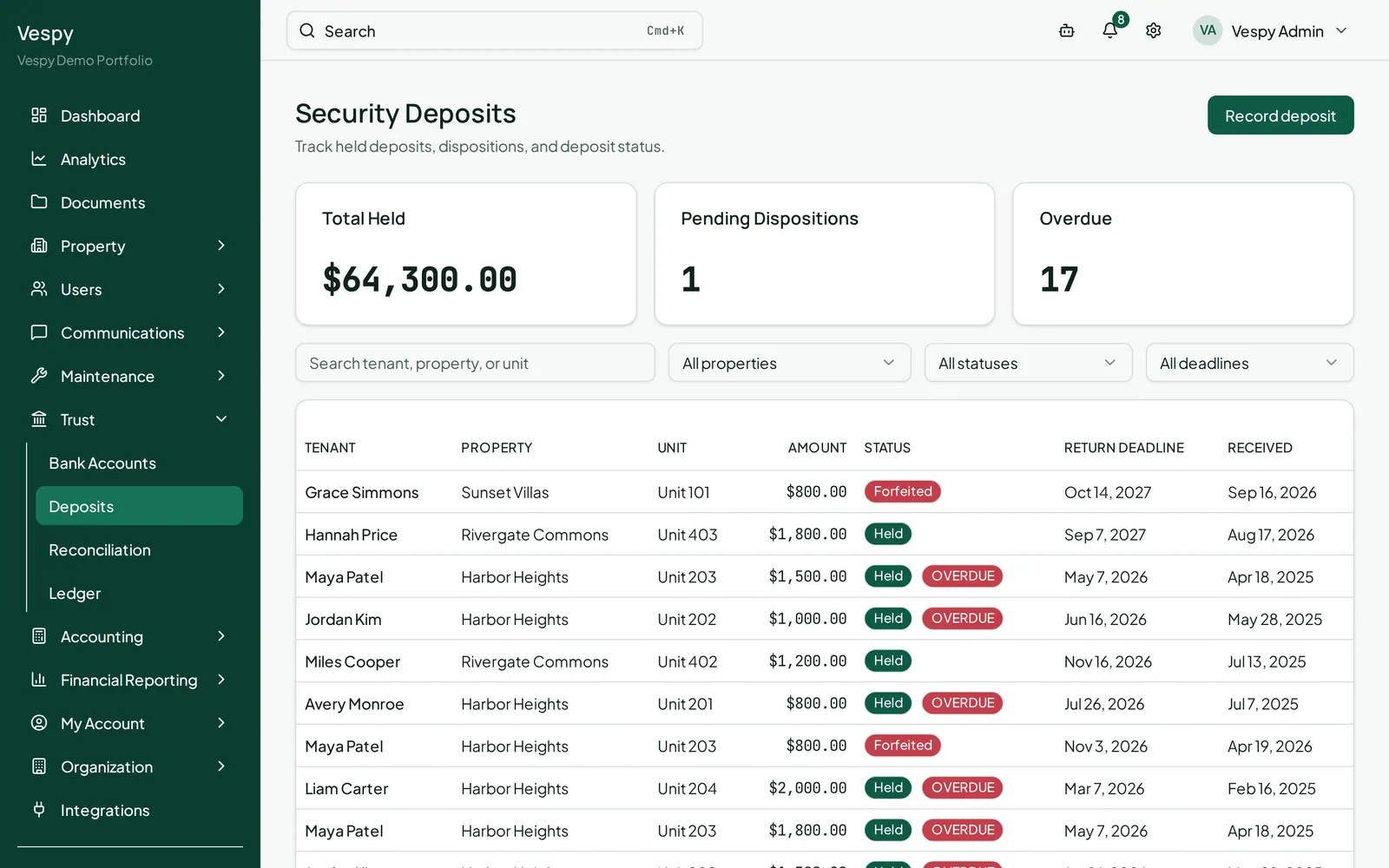
- Received date — used to calculate the jurisdiction’s return deadline, shown later on the deposit’s own page
The Deposits list also shows summary cards for Total Held, Pending Dispositions, and Overdue, so you can see at a glance what needs attention.
3. Deduct or refund it at move-out
Section titled “3. Deduct or refund it at move-out”Click into the deposit from the Deposits list. Depending on its remaining balance and status, you’ll see up to three buttons:
- Return — opens pre-filled with the full remaining amount
- Deduct — record a partial deduction
- Forfeit — pre-filled with the full amount, for keeping the whole deposit
For a deduction, add line items (a description and amount for each — carpet replacement, cleaning, and so on) using Add line item. The line items have to add up to exactly the amount you’re deducting before you can save.
The deposit’s page also tracks a Return Deadline countdown based on your state’s law, and a full history of every disposition recorded against it.
4. Reconcile the account
Section titled “4. Reconcile the account”Go to Trust > Reconciliation and click Run reconciliation:
- Bank account
- Statement period (start and end date)
- Statement ending balance — straight off your bank statement
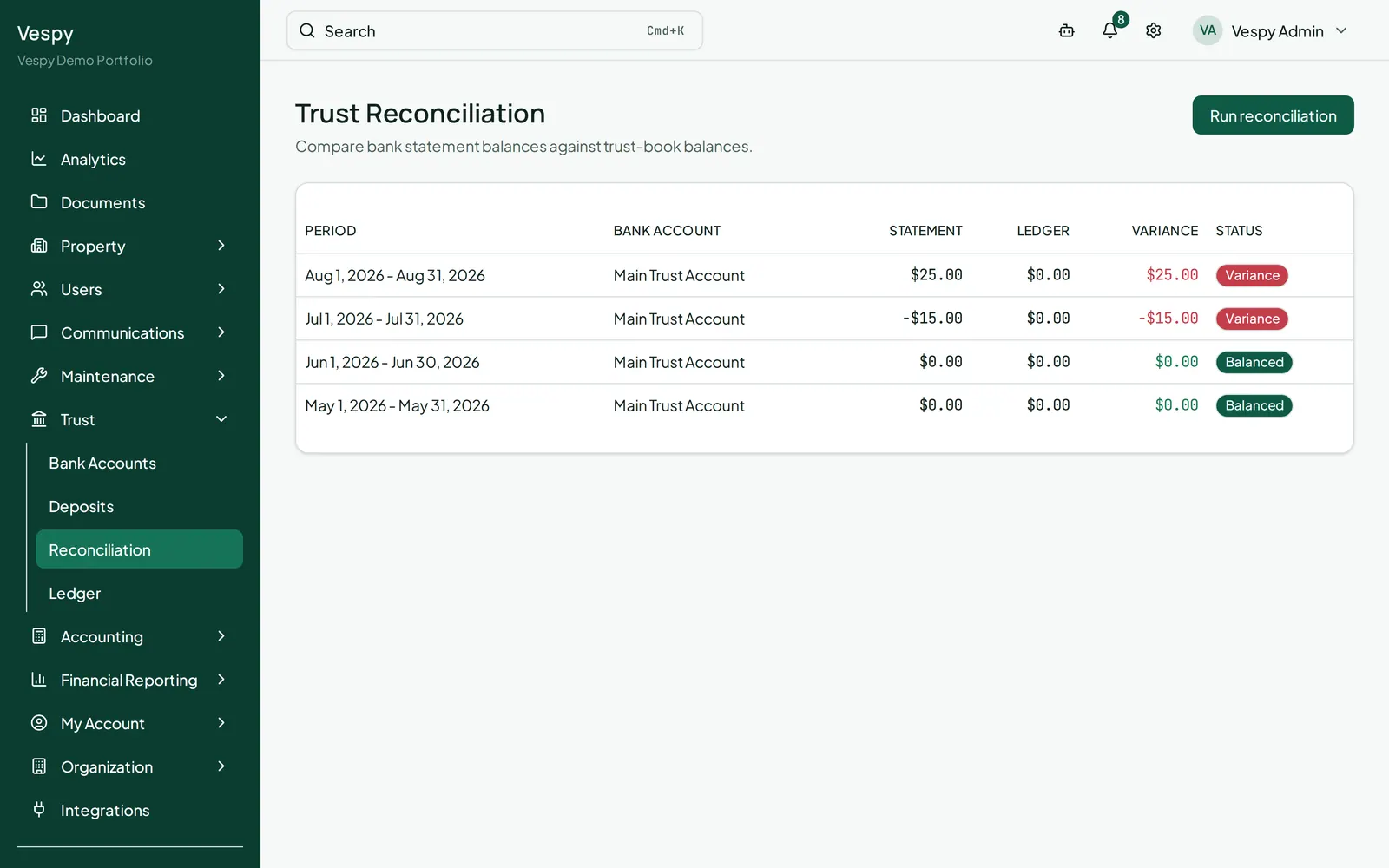
The result shows the statement balance, ledger balance, and any variance between them, plus a breakdown of deposits held per property. If there’s a variance, treat it as real — it means something in the trust account doesn’t match your records, and it’s worth tracking down rather than adjusting a number to force a match.
Afterwards
Section titled “Afterwards”- Renewing or terminating a lease — ending a lease early can settle the deposit disposition in the same step.
- Closing the books each month — trust activity feeds the same period close.