Notification preferences and contact info
Go to Settings in your portal — this is also the only settings page you have; there’s no separate page for editing your name or password.
Choosing what reaches you
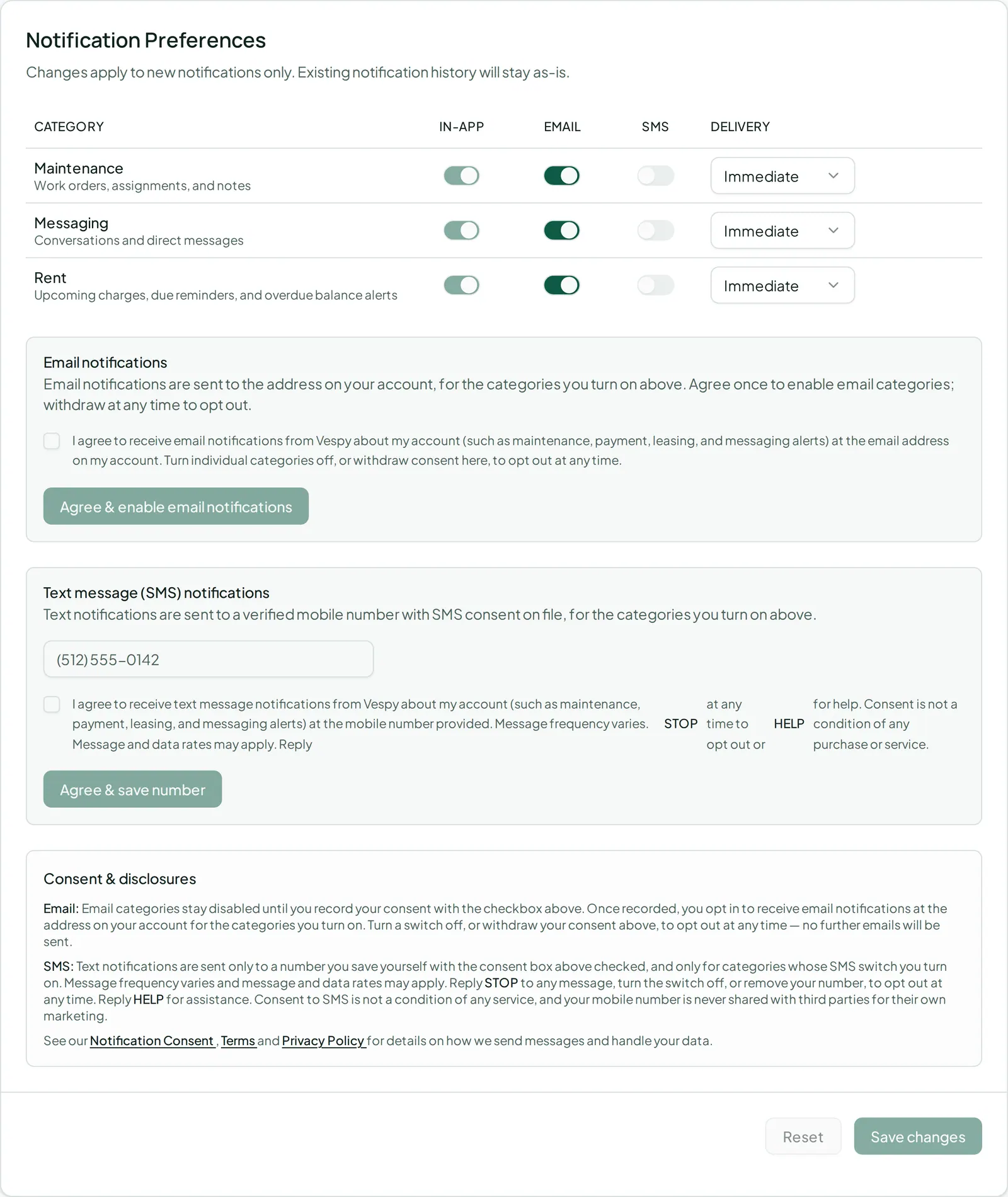
Section titled “Choosing what reaches you”You’ll see a row for each category — Maintenance, Messaging, and Rent — with a toggle for Email and SMS (in-app is always on) and a choice of Immediate or Daily digest for email delivery.
Turning on email or SMS
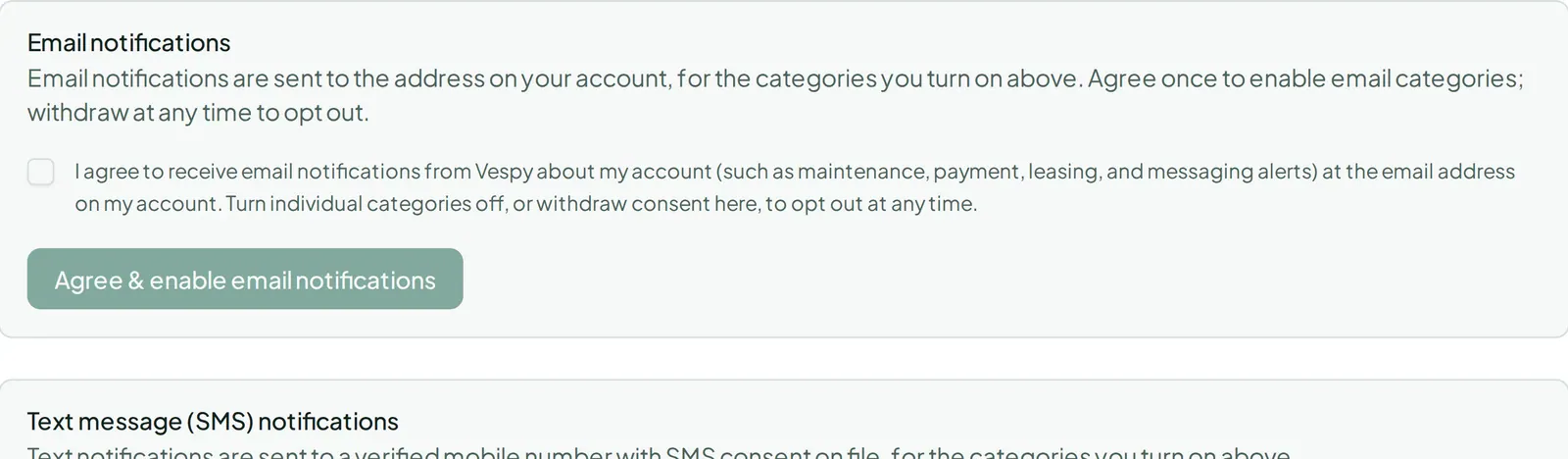
Section titled “Turning on email or SMS”Toggling email on for the first time requires checking a consent box and clicking Agree & enable email notifications. You can withdraw that consent later, which turns email back off across every category.
For SMS, enter your phone number, check the required consent box, and click Agree & save number. Once saved, you can Change number or Remove it.
Testing it
Section titled “Testing it”Use the Send test notification buttons (In-app, Email, SMS) to confirm each channel is actually reaching you before you rely on it.

Don’t forget to click Save changes once you’re happy with your choices.