Percentage rent and tenant sales
Retail leases often charge percentage rent on top of base rent: a share of the tenant’s sales above a breakpoint. For example, 6% of annual net sales over $1.56 million. Vespy tracks the tenant’s reported sales month by month, works out each lease year’s percentage rent once the year closes, and leaves the result for you to review and bill.
Everything here is on the lease’s Escalations & sales tab, below the escalation rules.
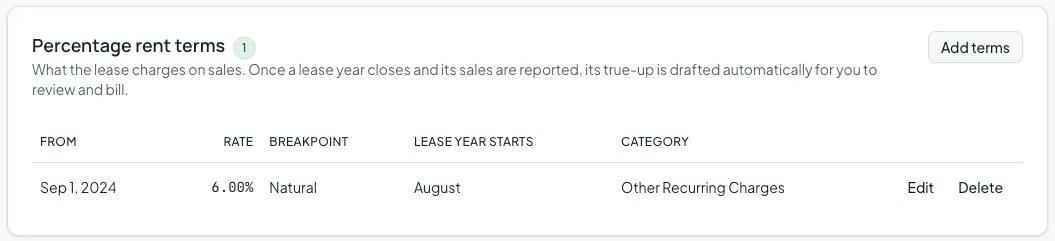
1. Set up the percentage rent terms
Section titled “1. Set up the percentage rent terms”On the Percentage rent terms card, click Add terms and enter the clause:
- Rate (%): the share of sales over the breakpoint, such as
6. - Breakpoint:
- Natural: the lease year’s base rent divided by the rate. With $93,600 of annual base rent at 6%, the breakpoint is $1,560,000. Vespy works it out from the billing schedule, so it follows any rent increase.
- Artificial: a negotiated amount. Enter it as the Yearly sales threshold ($).
- Lease year starts in: the month each lease year begins, which may not be January.
- Starts and Ends (optional): when this clause applies. Terms on one lease can’t overlap, so a clause that changes partway through the lease gets a second set of terms.
- Bill to category: the income account percentage rent posts to.
2. Record reported sales
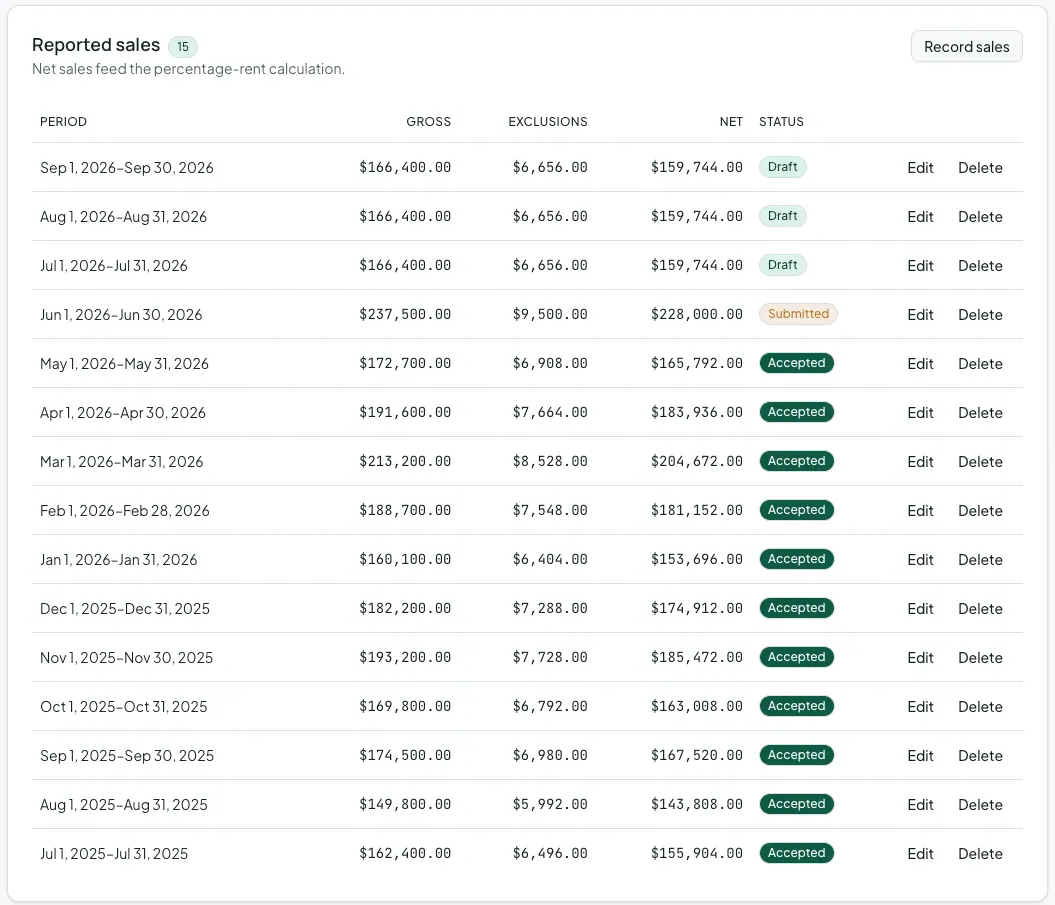
Section titled “2. Record reported sales”As the tenant reports sales, click Record sales on the Reported sales card and enter the Period start and Period end, the Gross sales ($), any Exclusions ($) the lease allows (returns, sales tax, gift cards), and a Status:
- Draft: entered but not yet confirmed by the tenant.
- Submitted: the tenant has reported it.
- Accepted: you’ve checked it, for example against point-of-sale records.
- Disputed: you’re querying it with the tenant.
Net sales are gross sales less exclusions. Only Submitted and Accepted periods count toward percentage rent.
3. Review and bill the true-up
Section titled “3. Review and bill the true-up”Once a lease year has closed and every month of it has sales reported, Vespy drafts that year’s percentage rent automatically. It shows on the Percentage rent card with the period, rate, the year’s net sales, the breakpoint, and the amount due after anything already billed for the year.
Check the draft against the tenant’s annual sales statement. If you correct a sales period afterwards, click Recalculate. When it’s right, click Bill, then Bill percentage rent, to post the charge to the tenant’s ledger.
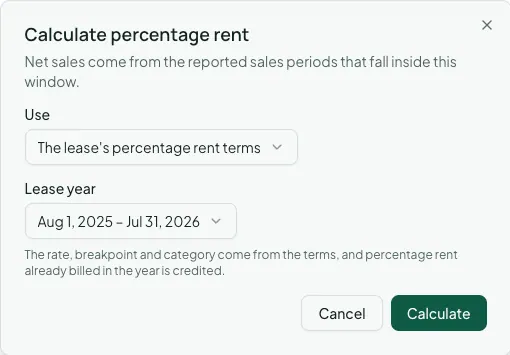
To calculate a period yourself, such as a quarterly estimate the lease calls for, click Calculate. Under Use, choose The lease’s percentage rent terms and a closed Lease year, or Figures I enter to supply the rate, period, breakpoint, and amount already billed by hand.
Afterwards
Section titled “Afterwards”- Commercial reports — Percentage Rent shows sales, breakpoints, and status across every retail lease.
- Commercial invoices and credit memos — include the true-up charge on the tenant’s next invoice.